
Install the app
Install Sofcy Reviews from Shopify and open it from Apps. It runs inside your Shopify admin, so there is no separate account or password. The Home page opens with a setup guide that tracks what is done.
One clear workflow
Sofcy Reviews runs inside your Shopify admin and adds its widgets through the theme editor. Here is the whole path from install to reviews on every page.
Install Sofcy Reviews from Shopify and open it from Apps. It runs inside your Shopify admin, so there is no separate account or password. The Home page opens with a setup guide that tracks what is done.
Buttons in the setup guide open the theme editor in the right place. Switch on the Sofcy Reviews app embed, add the review widget to the product template and the star rating badge under the title. No theme code is edited.
Shoppers can write reviews from the product page at any time. Add automatic review request emails after fulfillment or delivery, send manual requests, share review links and QR codes, and import reviews from your previous app by CSV.
Set auto-publish rules and a minimum rating, keep the spam, personal-information and profanity filters on, and add blocked terms. Everything else waits in the Pending tab.
Reply in public or in private, pin the most helpful review on each product, feature reviews for carousels, and tag reviews for later. Answer shopper questions on Awesome.
Add carousels, a review grid, an all-reviews page, FAQs, the floating tab or the pop-up where they help. Rich snippets are added to product pages automatically.
Analytics shows review volume, sources, verified share, the rating breakdown and how requests are doing, so you can adjust timing and widgets.
Set up in the admin
Home shows whether the app embed and widgets are live on your theme, with buttons that open the theme editor where each step happens.
Follow the install guide →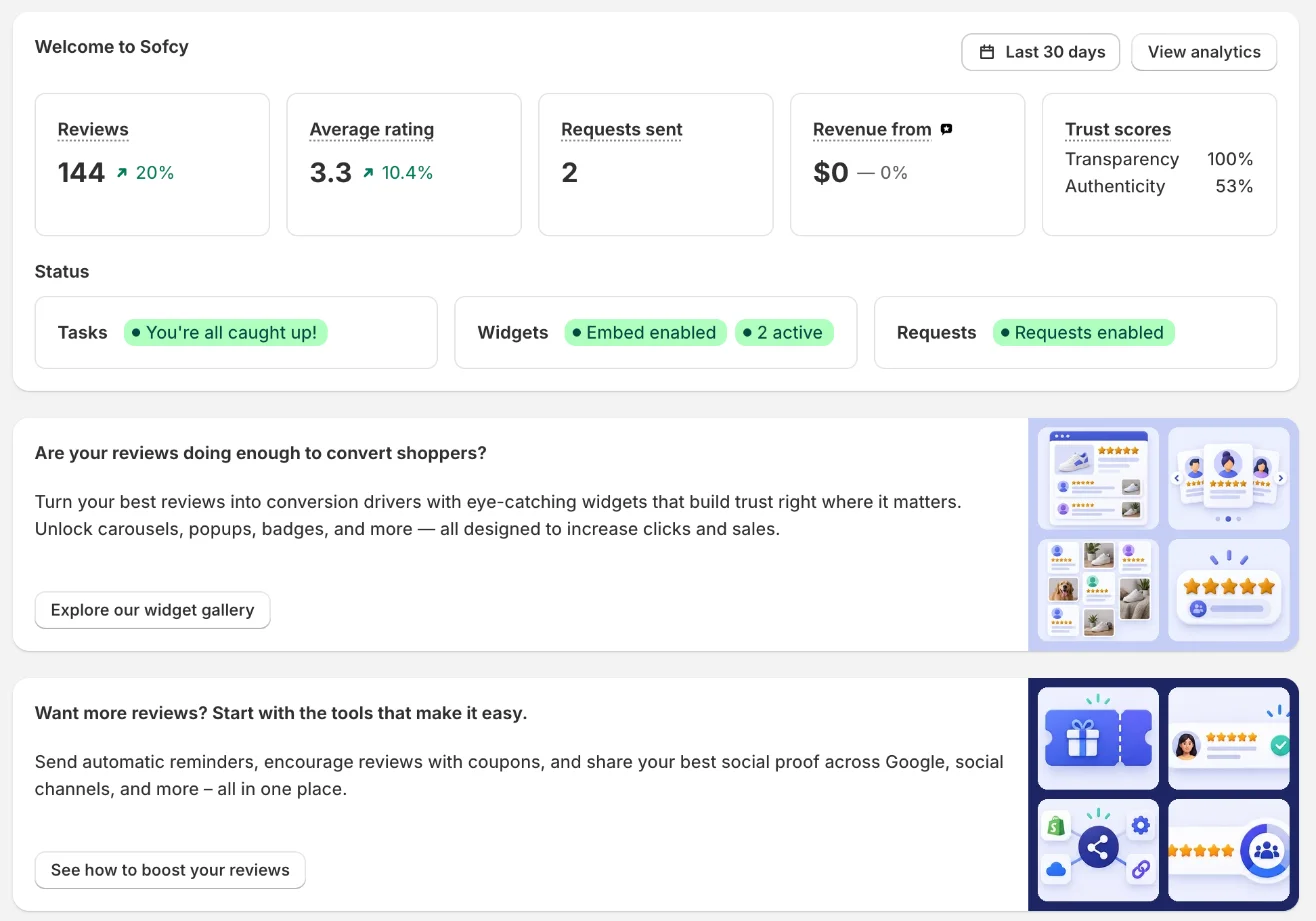
Built for Shopify
Forever Free has no review limits. Awesome adds Q&A answers, custom emails, coupons and Google Shopping, with a 15-day free trial.